Knowledge Base / Cloud Platform / Error: "Service Request Failed" after enabling SSO with Azure in Alteryx One Platform
Description
Upon enabling Azure SSO after setup and testing in Alteryx One, users experience difficulties logging back into the workspace and encountering authentication errors. The test connection does not indicate any errors, making it difficult to diagnose the issue.
Issue
When setting up SSO, if the test connection is successful and you enable SSO in your workspace, you will be logged out and redirected to the login page. Upon entering your login credentials, you may encounter the following error:
{
  "exception": {
    "name": "RestServiceException",
    "message": "Service request failed",
    "details": "Exception occurred when exchanging auth code with access token"
  }
}
Environment
- Alteryx One
Prerequisites
- Be a user on a Professional or Enterprise Alteryx One plan
- Workspace Admin role
- Have administrative access in the target Azure instance
Cause
The issue occurs due to providing an incorrect URL in the Discovery Endpoint field.
Resolution
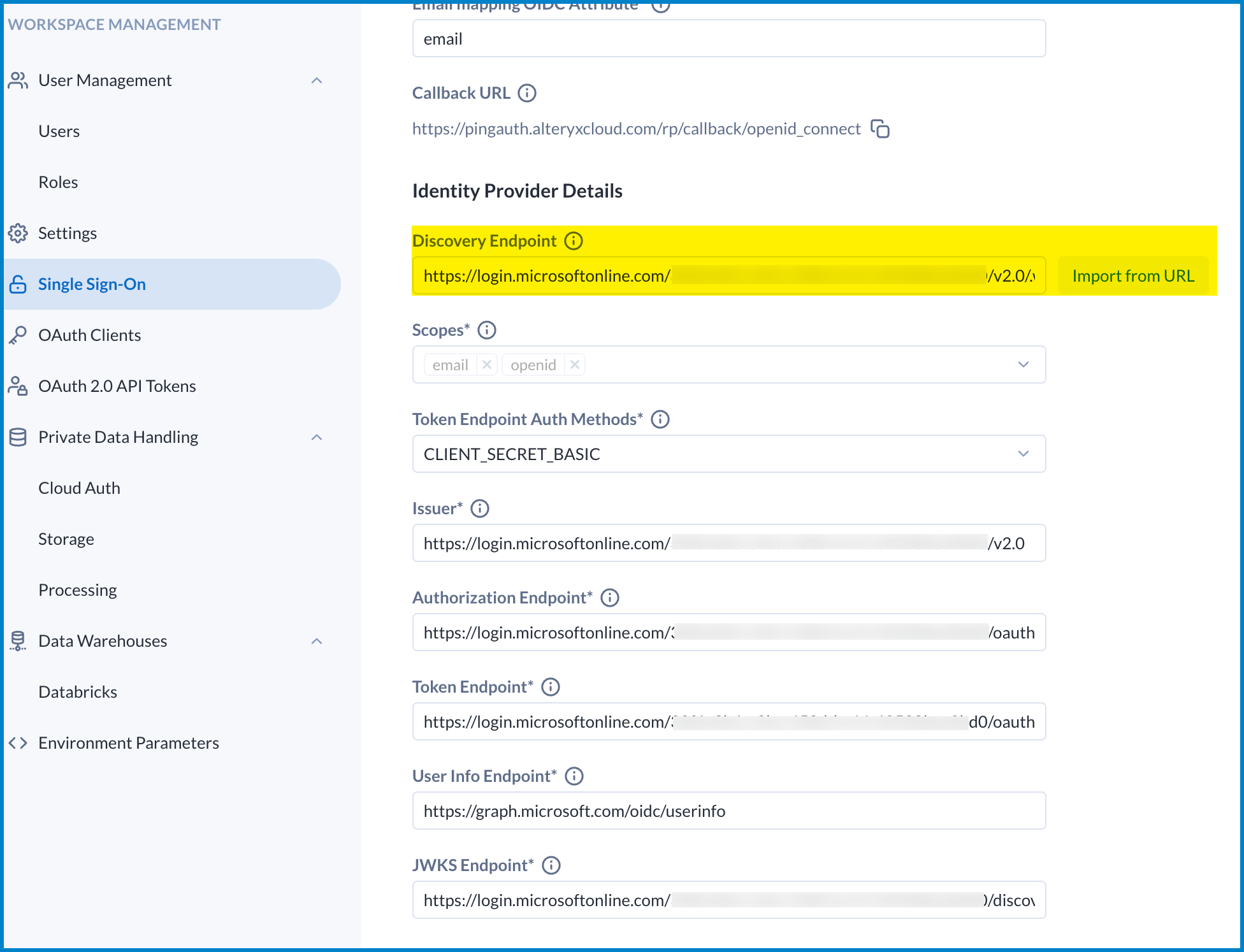
- Go to Workspace Admin > Single Sign-On.
- Replace "https://login.microsoftonline.com/common/v2.0/.well-known/openid-configuration" in the Discovery Endpoint field with "https://login.microsoftonline.com/{tenant_id}/v2.0/.well-known/openid-configuration", where "{tenant_id}" is your Azure app registration's Directory (tenant) ID.
- Click Import From URL to automatically fill in the other fields.
- Test the connection again.
.
Additional Information