Knowledge Base / Designer / Block Until Done Tool in the Original Engine May Execute in the Wrong Order
Description
In the Original engine, the Block Until Done tool may fail to enforce the correct execution order if one of its outputs is connected to a tool positioned earlier in the workflow - particularly when that tool also receives input from a shared upstream source.
NOTE: with AMP engine it works as expected.
Issue
Example 1 - workflow Join_BUD.yxmd
The Join tool is one of the downstream tools of Block Until Done. One of the inputs to the Join tool is the Text Input, which also serves as an input to Block Until Done.
Here’s how the flow behaves:
- The Text Input tool first sends records to Block Until Done and then waits for the control to return before pushing records to the Join tool.
- Meanwhile, Block Until Done pushes records to all three of its downstream tools in the defined order one by one but doesn’t check whether downstream is completed or not.
- Even though the Join tool is not connected to the last output of Block Until Done, it is still expecting the second input from Text Input.
As a result, the final output does not maintain the intended order.
Join tool is connected to the Text Input and BUD output
Example 2 - workflow AppendFields_BUD.yxmd
Append Field tool is connected to the Text Input and BUD output
Append Field tool is connected to the Text Input and BUD output
Environment
Alteryx Designer, Server
- Versions: All
- Original Engine only
This is known limitations of Block Until Done tool in the Original engine. Below are exaples with suggested workarounds in the Original engine.
NOTE: with AMP engine it works as expected.
Prerequisites
E1 Engine enabled.
Resolution
Workaround Example 1 - workflow Join_BUD.yxmd
As a workaround, you can add a new BUD tool after the Join tool, ensuring its output anchors don’t connect to any tools that appear before BUD.
Workaround
Workaround Example 2 - workflow AppendFields_BUD.yxmd
As workaround 1, the Append Field tool can be placed after BUD tool
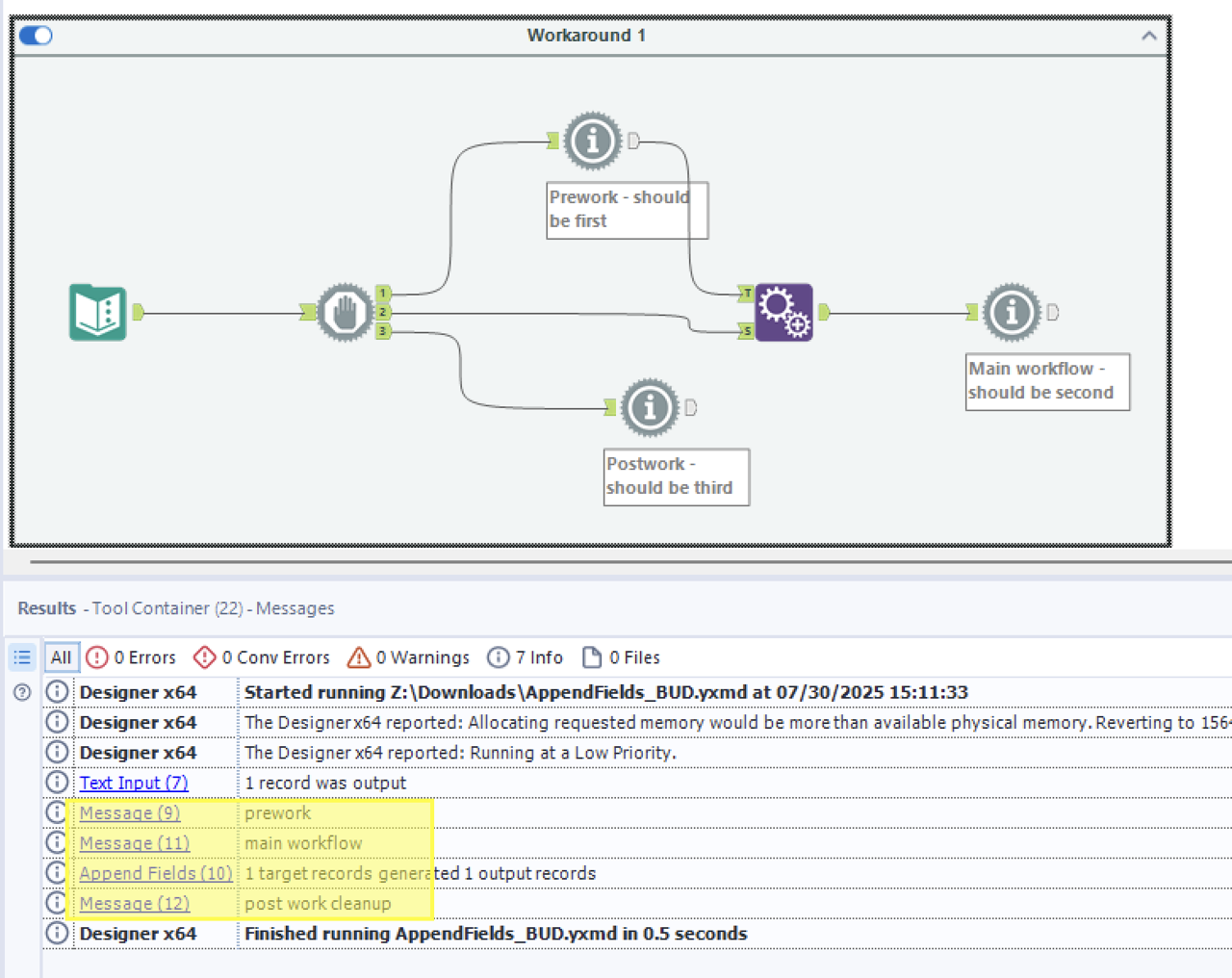 Workaround 1
As workaround 2, new BUD tool can be added after the Append Field tool, ensuring its output anchors don’t connect to any tools that appear before BUD
Workaround 2
Attachments