Error: The Melissa Data CASS engine appears to not be installed (can't find dll)
***CASS is only avaliable with a spatial license. If you would like to trial CASS please reach out to your Alteryx Sales Account Executive.
Reasons for this error message:
- CASS data has yet to be installed on your machine and you are using a tool requiring CASS data (Business Match Macro (CAN) & (US); ConsumerView Matching Macro;Canada Geocoder; CASS; Parse Address; Street Geocoder; US Geocoder; US ZIP9 coder).
- CASS has expired.
- Mismatched between registry entries or install folders.
- Not installing the CASS file correctly
Solutions:
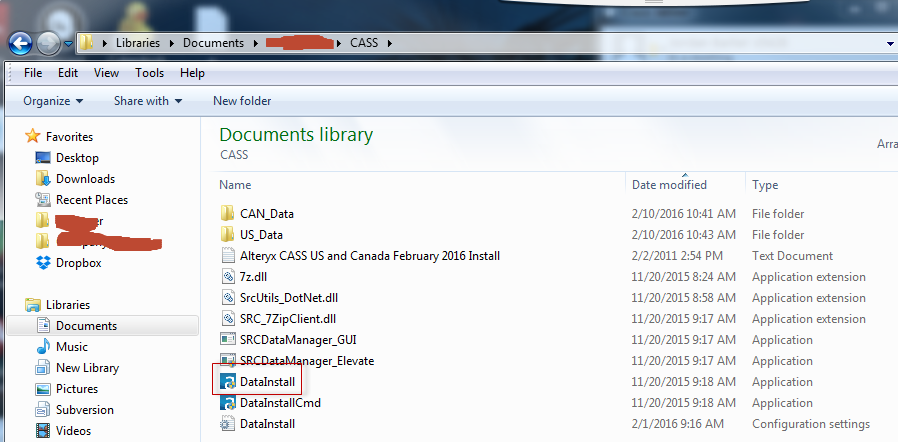
- Use the download links (see 'How to download CASS'section below)to run the CASS download and extract the files to a location on your machine (You can use the same location as the previous install). Run the Datainstall.exe in the CASS download folder (Screenshot below).
This will take you to through the installation of the latest version of CASS. Click 'Next' all the way through the install of the latest data to the unistall section. When you get to the uninstall screen please make sure the previous versions of CASS are selected (Screenshot below).
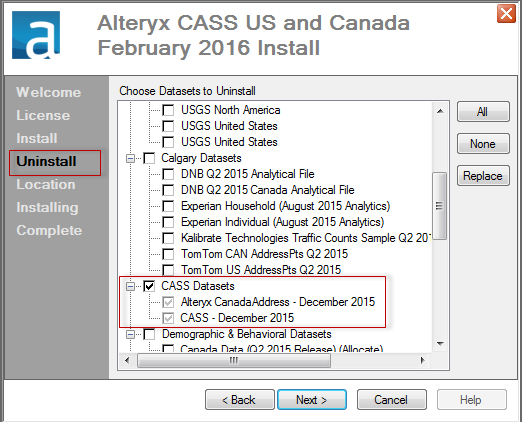
Once selected press 'Next' , select the local directory or network install location and press 'Finish'. Click 'OK' when it asks if you are sure you want to delete the previous versions of CASS. Once CASS has installed hit 'Close' inthe CASS installer.
The 'The Melissa Data CASS engine appears to not be installed (can't find dll)' error should now dissapear once you open a new instance of Alteryx.
If the error does not dissapear it may be because some of the extracted files from previous CASS versions haveremained on the machine. If so, you can delete all CASS files manually from your windows explorer, and then reinstall the latest data again using the process outlined above.If you are unsure where you extracted and savedthe CASS files, type CASS into the windows explorer search function and follow the file path.
How to download CASS:
Reach out to your Sales Account Executive at Alteryx. If you are unsure who this is please emailSupportand they can connect you to with them.
Updating CASS:
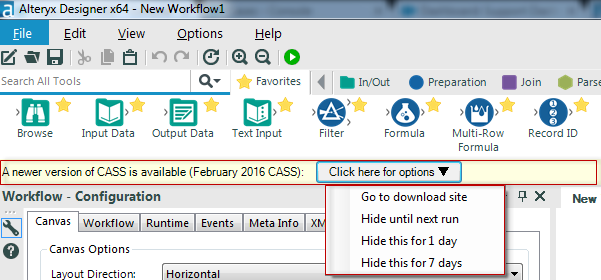
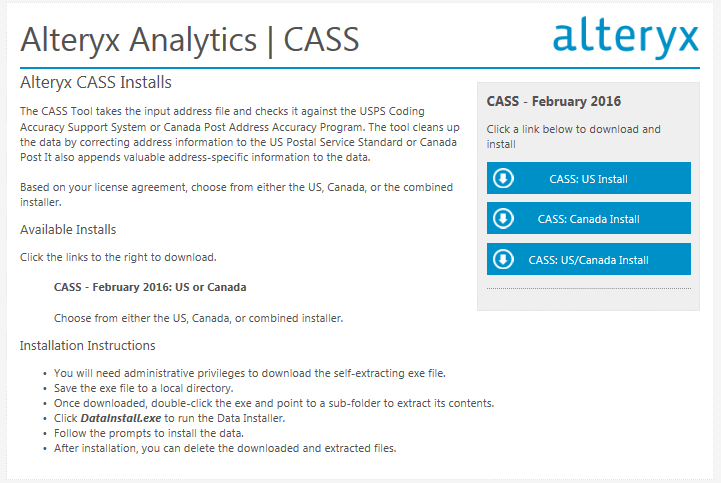
A banner should appear below the tool Icons with a link to 'Go to download site'. This will take you to the Alteryx Download site where thelatest CASS update will be avaliableto download on the right hand side(Screenshots below).
***You will only see this banner if you have CASS installed already.
Additional Tips and Tricks:
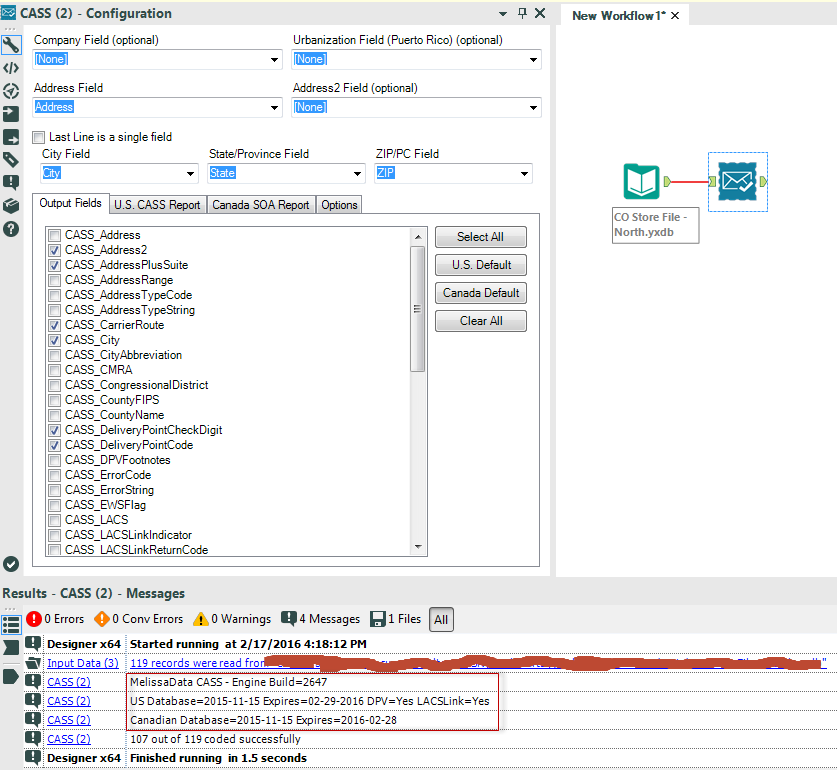
Want to find out what version of CASS you are using? Run a workflow with a CASS tool and in the output it will tell you want version you are using.
After you have tried the above solutions and you are still getting an error message relating to Melissa Data CASSplease feel free to reach out to Support