Welcome to the Alteryx Knowledge Base
Created/Edited -
Some time ago, there was a nice writeup: The Ultimate Alteryx Holiday gift of 2015: Read ALL Excel Macro: Part 2. This amazing macro allowed me to read any excel file, regardless of the number of tabs.
Until I start working with users that use diacritics on the sheet names.
For example:
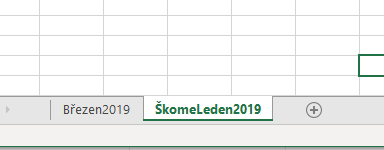
If we try to use the mentioned macro, you will receive an error like this: ‘not a valid name’

I decided to approach this as a macro (2 levels) and use the Directory functionality to read all possible xls files within a folder.
Level 1: Read xls Tabs
This macro will read all the tabs for a single xls file. I used an R tool that includes the library readxl.
This library allows us to read xls files. I used the excel_sheets function to extract the sheet name and compile the sheet name with the name file path. You will receive a column per tab that the xls file has. I cleaned these two values and passed them as Path and Tab.
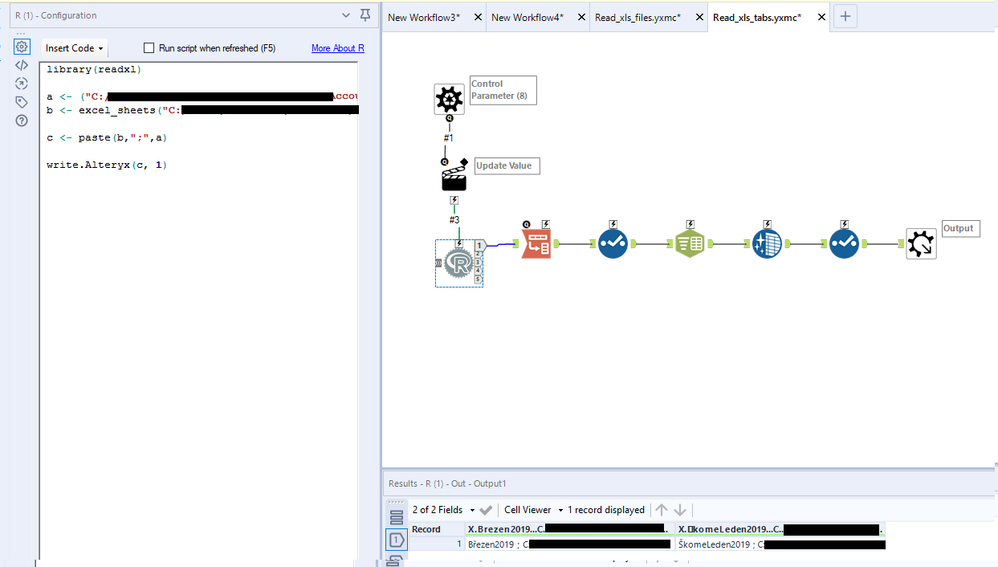
This data is sent to the Read xls file macro.
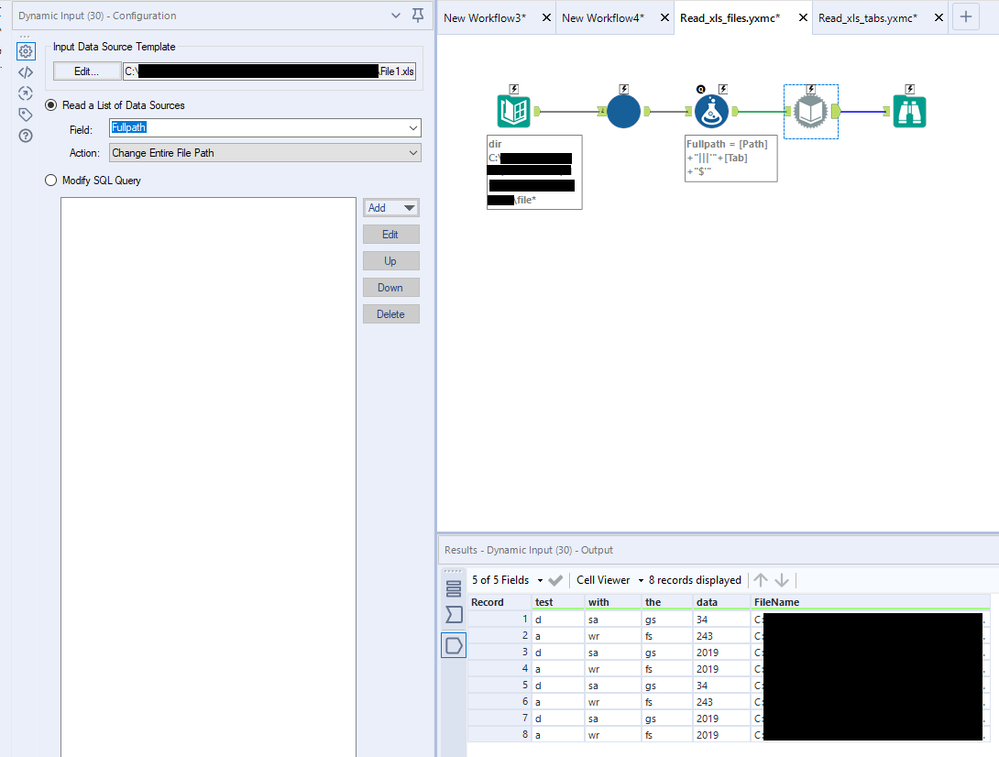
Level 2: Read xls Files
This macro gives structure to the full path (Path + Tab) using the structure needed in xls files. It uses the Dynamic Input tool to dynamically choose the data and output its content.
Note:
- Update the XXXX for your corresponding paths
- Don’t forget to install the R library readxl under your %Program Files% path g. C:\Program Files\Alteryx\R-3.5.3\library