Alteryx Designer comes with tools (based on both R and Python) to create and use predictive models without needing to write any code. But what if you've got custom models written in R or Python outside of Designer that you want to use in Designer, or vice versa?
For Python, use pickle or joblib to move the model in and out of Python. Here's an example that fits a decision tree model to the iris dataset and dumps the model to disk as a joblib file:
from ayx import Package Package.installPackages(['joblib']) from ayx import Alteryx from sklearn import tree from joblib import dump train = Alteryx.read("#1") clf = tree.DecisionTreeClassifier() y_train = train.pop('Species').values clf = clf.fit(train, y_train) dump(clf, 'C:/Users/nryan/Desktop/treeModel.joblib')
Use RDS files in R:
library(rpart) train
Bringing the joblib file back into Alteryx is straightforward. Here we bring the decision tree model back into the Python tool in Designer to make predictions on new data:
from ayx import Package Package.installPackages(['joblib']) from ayx import Alteryx import pandas as pd from joblib import load test = Alteryx.read("#1") clf = load('C:/Users/nryan/Desktop/treeModel.joblib') prediction = clf.predict(test) Alteryx.write(pd.DataFrame({'Py_Prediction':prediction}), 1)
And the R tool equivalent:
treeModel
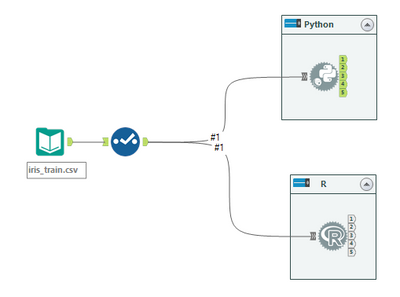
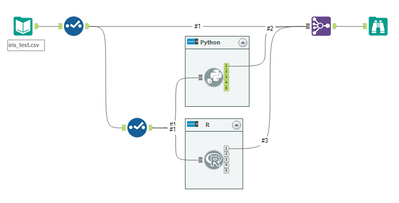
See attached example workflows. To run these workflows you will need to edit the file paths to reflect a location on your machine. For help installing the joblib package, please see the articleHow To: Use Alteryx.installPackages() in Python tool.