Welcome to the Alteryx Knowledge Base
Created/Edited -
Troubleshooting Invalid Path: "Cleanse.yxmc" / Nested Macro Locations are not supported
Randomly Designer appears to be losing macro references. This results in the below two behaviours.
Invalid path error for macro based tools
In some cases the user will see the error message below when running a workflow containing the Data Cleansing tool. Typically a simple uninstall will not solve the issue.
Invalid Path: "Cleanse.yxmc"
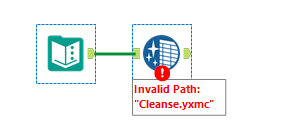
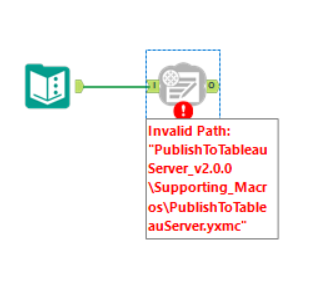
Additionally, the error message below will be shown when trying to use the Publish To Tableau macro.
Invalid Path: "PublishToTableauServer_v2.0.0\Supporting_Macros\PublishToTableauServer.yxmc"
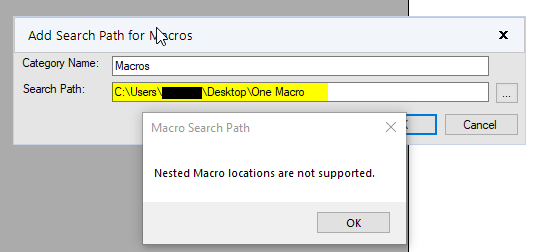
Unable to add Macro paths in User Settings
When trying to add a path to a macro this will lead to the below error.
Nested Macro locations are not supported
Environment
- Alteryx Designer
Cause
This is caused by a corrupted AddOnData folder in %ProgramData%\Alteryx\DataProducts.
Solution
1. Close Designer
2. Rename theAddOnDatafolder in%ProgramData%\Alteryx\DataProducts
3. Restart Designer (to recreate theAddOnDatafolder)
As always if you encounter issues please feel free to reach out toAlteryx Customer Support.